
WordPress teams need two kinds of AI visibility data: evidence that AI crawlers can reach their pages, and evidence that answer engines actually cite those pages. The best WordPress AI plugin for visibility depends on which gap you have. xSeek is the strongest fit when you want server-side bot tracking plus a plan for improving citations, while HubSpot AEO and Otterly.ai are better for prompt-level monitoring without changing your CMS.
What should a WordPress AI visibility tool do?
A useful WordPress setup should connect technical access, answer monitoring, and editorial action. A plugin alone cannot tell you whether ChatGPT recommends your company, and a dashboard alone may not tell you whether GPTBot or ClaudeBot can read your pages.
Look for five capabilities:
- Server-side crawler detection: records AI bot visits without relying on JavaScript.
- Prompt tracking: checks the questions buyers ask in ChatGPT, Perplexity, Gemini, or other answer engines.
- Citation analysis: shows which URLs and domains appear in AI answers.
- Competitor comparison: tells you who appears instead of you.
- WordPress workflow support: helps your team draft, review, update, or publish content without rebuilding its stack.
That last point separates a WordPress AI tool from a general chatbot plugin. A chatbot can answer visitors on your site. An AI visibility platform measures whether external answer engines understand and recommend your site.
Best WordPress AI visibility tools compared
| Tool | Best WordPress use | Crawler data | Prompt and citation tracking | Published starting price |
|---|---|---|---|---|
| xSeek | Track bots and turn gaps into content actions | Yes, server-side plugin | Yes | $249.99/month |
| HubSpot AEO | Monitor prompts and recommendations | Not a WordPress plugin | Yes | $50/month |
| Otterly.ai | Affordable monitoring and GEO audits | Agent Analytics on paid tiers | Yes | $29/month |
| Semrush AI Visibility | Connect AI visibility with an SEO suite | Not a WordPress plugin | Yes | Contact vendor |
| Profound | Enterprise monitoring and AI marketing workflows | Agent Analytics | Yes | Contact vendor |
The right choice is not the tool with the longest engine list. It is the one that shows your team what to change next, with enough WordPress access data to explain why a page is or is not being used.
1. xSeek: best WordPress AI plugin for crawler visibility and action
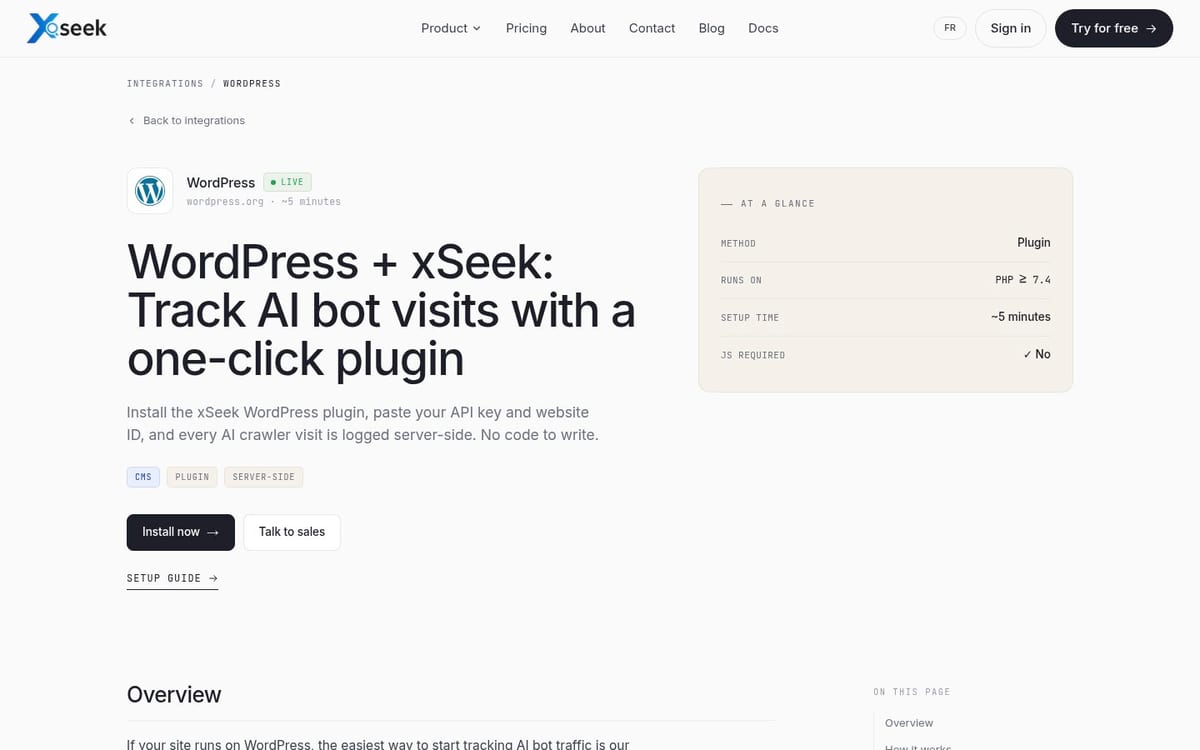
xSeek's WordPress integration is the best fit for a marketing team that wants to connect AI crawler activity with citation improvement. The plugin detects AI bots server-side and sends the user-agent, URL, and timestamp to xSeek over HTTPS, so the measurement does not depend on a crawler executing JavaScript.
Setup takes three steps: install the plugin, paste the API key and website ID, and start receiving bot events. The integration page says the setup takes about five minutes and requires no code changes.
The WordPress plugin is only one part of the product. xSeek also asks the tracked questions your buyers use, records which brands and sources appear, identifies content gaps, and drafts articles for review. Its Content Studio can send reviewed drafts to WordPress as drafts or live posts after you connect the CMS.
Pricing: The xSeek homepage lists Starter at $249.99 USD per month, with one website, 50 tracked questions, and 10 articles per month. Growth is listed at $499.99 USD per month, with three websites and 150 tracked questions.
Best for: WordPress teams that need to know which AI crawlers reached their site and what content work could increase citations.
Limitation: xSeek costs more than a basic monitoring product. If you only want a small set of prompt checks and no content workflow, its planning and publishing features may be more than you need.
2. HubSpot AEO: best for prompt monitoring without a WordPress plugin

HubSpot AEO is a strong choice when your WordPress site is already part of a broader HubSpot marketing operation. It tracks brand visibility, competitor share of voice, citations, and prompts across ChatGPT, Gemini, and Perplexity.
HubSpot says its entry plan includes 25 prompts and costs $50 per month. The product also offers prioritized recommendations, such as creating a page, updating content, publishing a social post, or contacting a third-party site.
For WordPress users, the main benefit is separation of concerns. You can keep WordPress as the publishing system while using HubSpot to analyze AI answers and connect recommendations to marketing data. You should not treat HubSpot AEO as a replacement for server logs or a WordPress crawler plugin because its public product page focuses on answer monitoring rather than bot visits.
Pricing: $50 per month, or $45 per month when billed annually, with 25 prompts included. HubSpot says more prompts can be purchased.
Best for: Marketing teams that already use HubSpot CRM and want AI visibility reporting alongside campaign and customer data.
Limitation: The standalone product covers three named answer engines. It does not give a WordPress-specific view of every AI bot request, so technical teams need another source for crawler activity.
3. Otterly.ai: best budget WordPress AI tool for monitoring
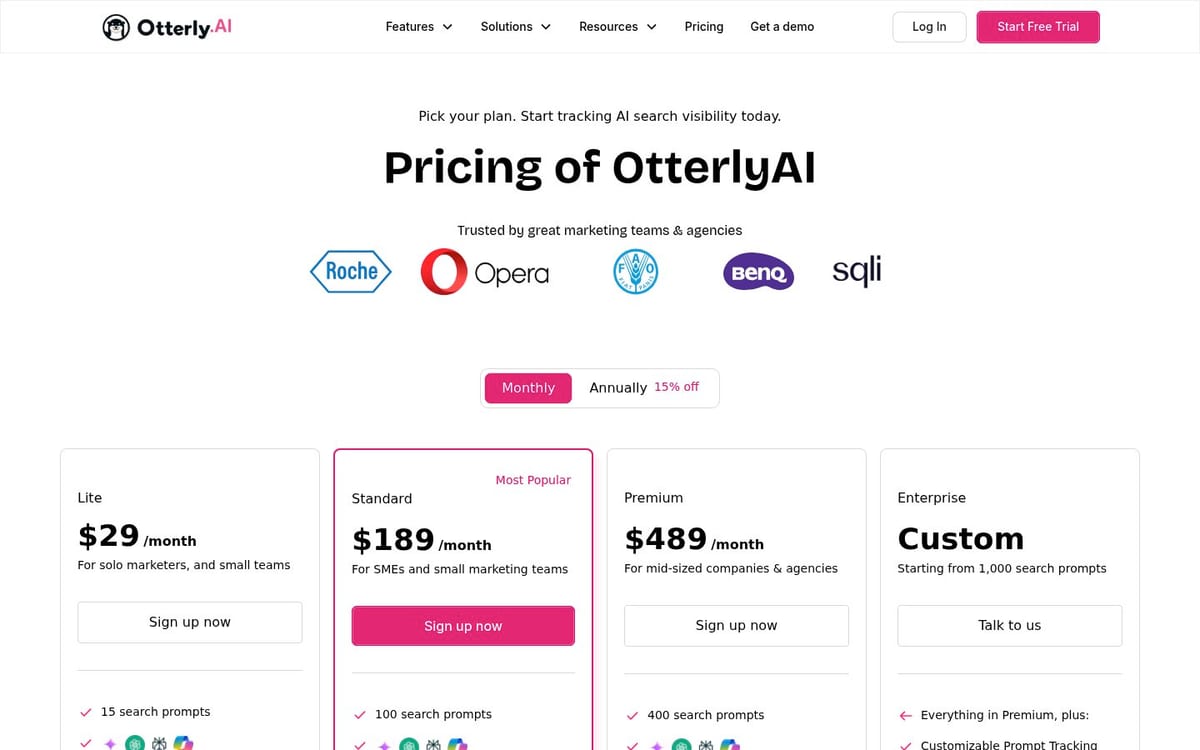
Otterly.ai gives smaller WordPress teams a lower-cost way to monitor mentions, citations, sentiment, and visibility. Its Lite plan tracks 15 search prompts across ChatGPT, Google AI Overviews, Perplexity, and Microsoft Copilot, with daily tracking and citation source tracking included.
The published Lite price is $29 per month. The Standard plan is listed at $189 per month and raises the limit to 100 prompts while adding API, MCP, and Agent Analytics access.
Otterly.ai also includes GEO audits and content checks. That makes it useful for a WordPress editor who wants page-level feedback, but it is still primarily a monitoring product. You will need your own editorial process to turn a missed citation into a revised page, new article, or outreach task.
Pricing: Lite at $29 per month for 15 prompts. Standard at $189 per month for 100 prompts. Claude, Google AI Mode, and Gemini are listed as paid add-ons.
Best for: Freelancers, small businesses, and WordPress agencies that want a low entry price and a compact monitoring set.
Limitation: Fifteen prompts can disappear quickly when you split tracking across products, audiences, regions, and buying stages. The cheapest plan also does not include every engine by default.
4. Semrush AI Visibility: best for WordPress teams already running SEO in Semrush
Semrush AI Visibility makes sense when your WordPress content team already uses Semrush for keywords, backlinks, site audits, and content work. Its AI visibility workflow adds prompt research, brand performance, sentiment, competitor comparison, and citation analysis to the same broader SEO environment.
Semrush's own comparison guidance says the platform can show where competitors appear, which sources shape AI answers, and what content gaps deserve attention. That is useful for a WordPress publisher with an established SEO process and a separate editorial queue.
Pricing: The public AI Visibility product page directs visitors to plans and pricing rather than showing a fixed amount in the product content reviewed for this article. Confirm the current domain, prompt, and seat costs before buying.
Best for: SEO-led WordPress teams that want AI visibility beside traditional search data.
Limitation: Semrush is a large suite. If your only question is whether AI crawlers visited a WordPress page or whether one prompt changed this week, the broader platform may add cost and setup time without solving the technical problem.
5. Profound: best for enterprise WordPress programs
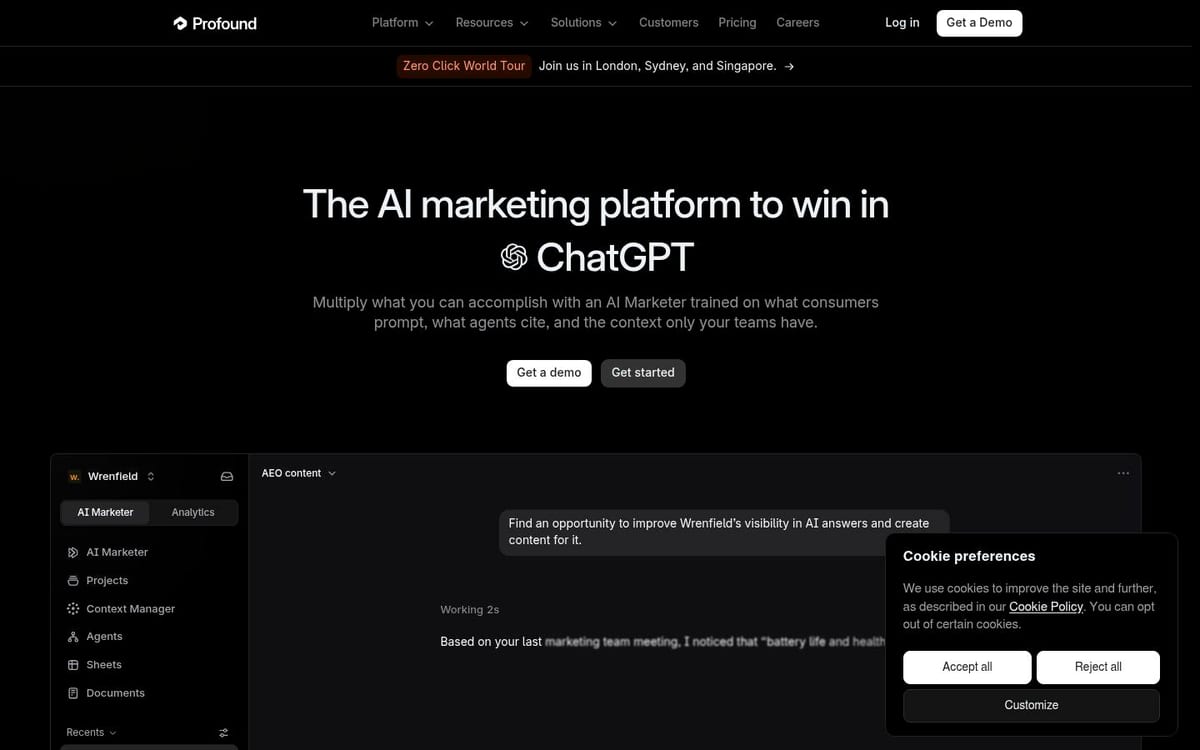
Profound is built for larger marketing organizations that need answer engine insights, prompt volumes, agent analytics, and AI-assisted content or brand workflows. Its public product pages describe coverage across ChatGPT, Perplexity, Claude, Gemini, Microsoft Copilot, DeepSeek, and Google AI Overviews.
Profound's Agent Analytics is the part most relevant to a complex WordPress estate. It is designed to show how AI agents access and interpret a site, while the broader platform can identify pages losing citations, draft revisions, and stage content for approval.
Pricing: Profound's public homepage reviewed for this guide sends buyers to a demo and does not publish a fixed entry price. Ask for the cost of prompt volume, engine coverage, seats, integrations, and agent workflows as separate line items.
Best for: Enterprise WordPress teams with analysts, multiple content owners, and a need to connect monitoring with coordinated marketing work.
Limitation: The platform is difficult to evaluate from a simple self-serve trial. Smaller teams may not have enough WordPress scale or analyst capacity to justify an enterprise workflow.
How to choose an AI visibility plugin for WordPress
Choose based on the failure you need to diagnose first. If you cannot see AI crawler visits, start with server-side detection. If you can see bot activity but do not know whether buyers receive your brand in answers, start with prompt and citation tracking.
Use this decision path:
- Need crawler logs from WordPress? Start with xSeek's server-side plugin. Add a CDN or server-log solution if your site is split across several stacks.
- Already use HubSpot CRM? Test HubSpot AEO first. Its prompt recommendations and CRM context may matter more than a standalone plugin.
- Need a low-cost monitoring baseline? Test Otterly.ai with the prompts that map to your highest-value pages.
- Already pay for Semrush? Compare the AI visibility add-on with the cost and reporting overhead of another platform.
- Manage many sites, regions, or content teams? Evaluate Profound or xSeek against your approval, API, and governance requirements.
WordPress compatibility should also include the publishing workflow. Ask whether the tool can preserve drafts, canonical URLs, authorship, schema, internal links, and editorial approval states. A tool that creates a technically correct draft but bypasses review can create more work than it removes.
WordPress AI visibility checklist
Use this checklist before you choose a tool or plugin:
- Confirm which AI user-agents it detects and whether detection happens server-side.
- Check whether it records the exact URL and timestamp for each bot request.
- Track non-branded buyer questions, not only searches containing your company name.
- Compare citations at the page level, not only at the domain level.
- Check which AI engines are included in the base plan.
- Separate prompt limits from user, project, region, and API limits.
- Test whether a recommendation becomes a WordPress draft without losing metadata.
- Review pricing for add-on engines before comparing monthly totals.
The best WordPress setup usually combines one technical signal with one answer signal. Crawler visits tell you whether AI systems can reach the site. Prompt and citation tracking tells you whether the pages earn a place in the answers. You need both before deciding what to fix.
FAQ
What is the best WordPress AI plugin for visibility?
xSeek is the best fit when you want a WordPress plugin that records AI crawler visits server-side and connects those events to prompt, citation, and content actions. Otterly.ai is a better budget choice for monitoring, while HubSpot AEO is stronger for teams already using HubSpot CRM.
Can a WordPress AI plugin track ChatGPT citations?
A WordPress plugin can record crawler visits, but citation tracking usually happens in a separate AI visibility platform. Use a tool that runs buyer prompts and shows the cited URLs, then connect that data to the WordPress pages you need to update.
What is the cheapest WordPress AI visibility tool?
Otterly.ai publishes a Lite plan at $29 per month for 15 prompts and four included AI search engines. That price covers monitoring features, not a full WordPress content strategy or server-side crawler log for every site request.
Do AI visibility tools work with WordPress?
Yes. Prompt monitoring does not depend on your CMS, so tools such as HubSpot AEO, Otterly.ai, Semrush, and Profound can analyze a WordPress site. WordPress-specific integrations add technical bot data and publishing workflows.
Is an AI chatbot plugin the same as an AI visibility tool?
No. A chatbot answers people on your website, while an AI visibility tool measures how external answer engines describe and cite your brand. The two products can support the same site, but they solve different problems.
How many prompts should a WordPress site track?
Start with the questions tied to your main products, services, audiences, and competitors. A small site can begin with 15 to 25 prompts, then expand when you know which topics produce meaningful visibility gaps.
Related articles
- 10 Best AEO Tools in 2026: Ranked for Action
- 20 Best Tools to Track LLM Chat Visibility in 2026
- Dashboard vs. Decision: Which AI Visibility Tools Tell You What to Do
- How to Build an AI Blog Workflow From Idea to Published Post
Sources & References
- xSeek WordPress integration - server-side bot tracking and setup
- xSeek homepage - plan limits and pricing
- HubSpot AEO - prompt tracking, features, and pricing
- Otterly.ai pricing - prompt limits, engines, and pricing
- Semrush AI Visibility - AI visibility workflow
- Profound - enterprise AI marketing and agent analytics